
Virtual Staging
Furnish an empty room in about a minute.
No card or subscription required · Free results include a watermark
See the difference
Select a design style to see the staged result
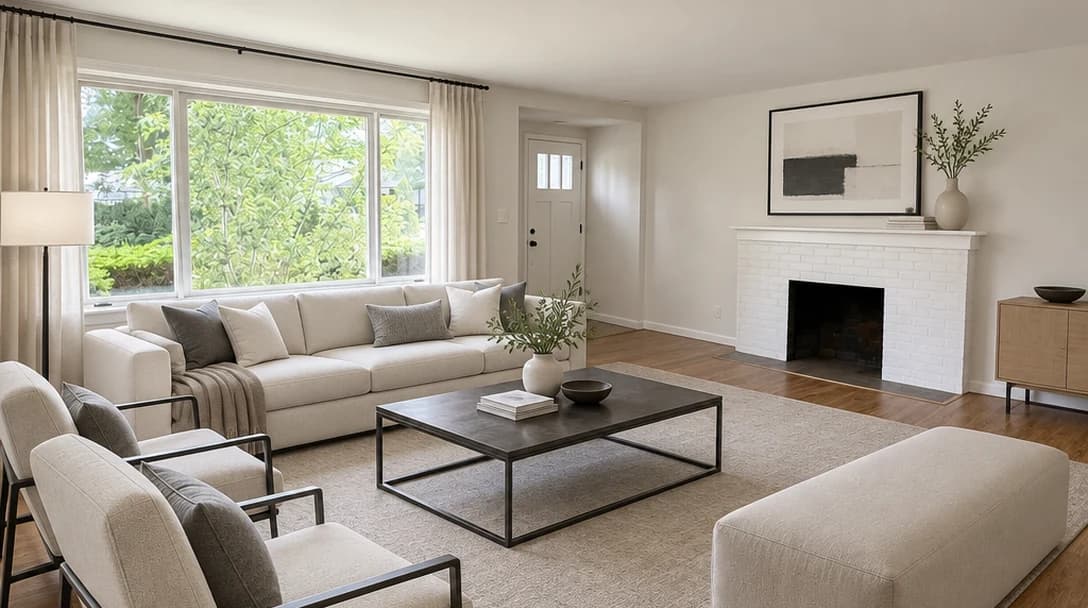
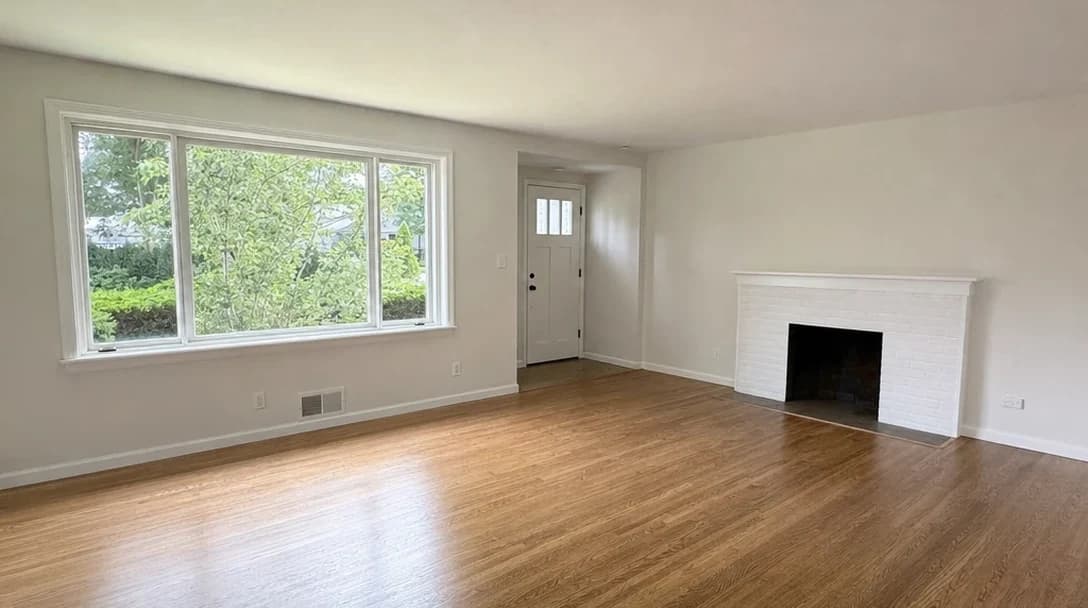
No card or subscription required
What Virtual Staging does
Virtual staging adds AI-generated furniture and decor to empty property photos. Choose from 14 design styles — Modern, Scandinavian, Coastal, Hamptons, Luxury, Traditional, Japandi, and more. Each staged photo is ready in about a minute, compared with days of waiting for traditional staging services. Try multiple looks, compare with the original, and download the result.
When to use it
- Vacant properties where physical staging would mean weeks of furniture rental and setup
- Occupied properties after using Remove Furniture to clear the room first
- Developers marketing off-plan or under-construction properties before fit-out
- Agents who want to show buyers multiple style options for the same space
- Investor flips and rental properties where staging budget is limited
How it works
Most staged photos are ready in about a minute
Upload your empty room photo
Upload an interior photo of an empty or cleared room in JPG, PNG, WebP, or HEIC. For occupied rooms, use Remove Furniture first, then stage the result.
Choose a design style
Select from 14 design styles — Modern, Scandinavian, Coastal, Hamptons, Luxury, Traditional, Japandi, and more. Each style places contextually appropriate furniture and decor.
Download your staged photo
Check the furniture scale, layout, and property details. Download your chosen result and identify it as virtually staged when you publish.
Credit cost
100 credits per photo
New accounts get 500 free credits — enough for 5 free uses of this feature.
Frequently Asked Questions
How much does virtual staging cost?
How does AI virtual staging work?
Is virtual staging as effective as traditional staging?
Do I need to disclose that photos are virtually staged?
What styles are available for virtual staging?
Can I virtually stage an occupied room?
Related features
Keep working with the same photos, in the same project.
Looking for a comparison of real estate photo editing tools? See our 2026 software comparison guide.
Want to show the change on Instagram or in your listing? Make a before and after photo for free.
See what Virtual Staging can do for your listing.
Start with 500 free credits. Try your own property photos before buying. Free results include a watermark.