
Improve Lighting
Give dark rooms a brighter first impression.
No card or subscription required · Free results include a watermark
See the difference
Drag the slider to compare before and after
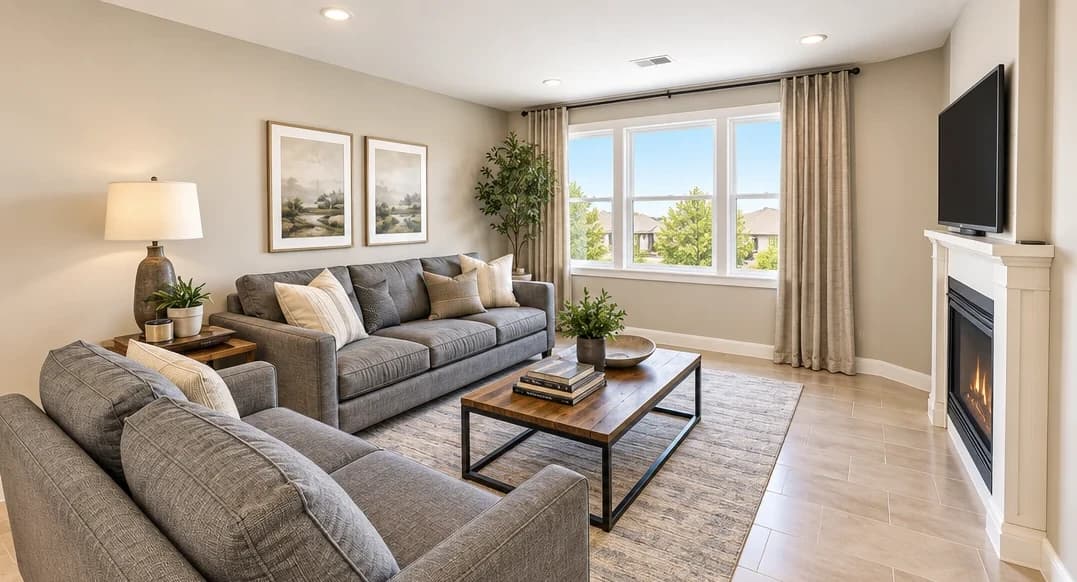
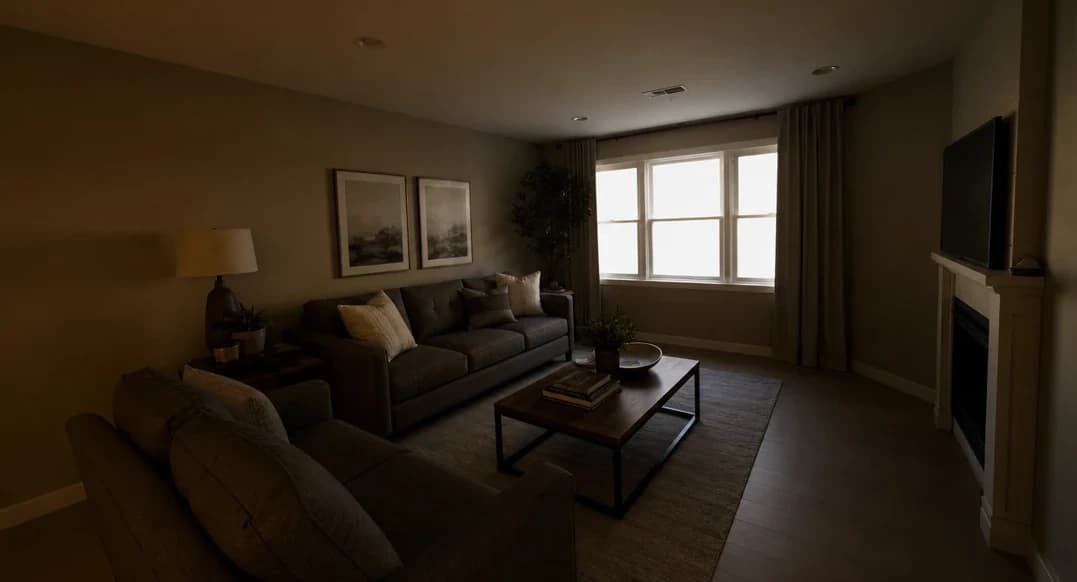
No card or subscription required
What Improve Lighting does
Lighting correction is our most-used edit. A dim photo can hide a room’s best features. Improve Lighting lifts brightness, balances color and evens out mixed light sources in dark or flat property shots, so buyers get a clearer view of the space. Results return in about a minute.
When to use it
- Brightening dark rooms photographed without flash or professional lighting
- Correcting color casts from mixed artificial and natural light sources
- Rescuing photos taken on overcast days where natural light was insufficient
- Standardizing exposure across a full set of listing photos
- Quick turnaround when a reshoot isn't possible before a listing deadline
How it works
Most lighting corrections return in about a minute
Upload your photo
Upload interior or exterior photos where lighting is flat, dark, or uneven — in any common image format up to 25 MB.
Select Improve Lighting
Choose the Improve Lighting enhancement. Pair it with Clean & Tidy or Blue Skies for a complete listing-ready result.
Download your brightened photo
Check the room, windows, and colors against your original, then download the brightened image.
Credit cost
100 credits per photo
New accounts get 500 free credits — enough for 5 free uses of this feature.
Frequently Asked Questions
What does Improve Lighting change in my photo?
Is it fast enough for a listing deadline?
How much does it cost?
Can I combine lighting enhancement with other edits?
Related features
Keep working with the same photos, in the same project.
Looking for a comparison of real estate photo editing tools? See our 2026 software comparison guide.
Want to show the change on Instagram or in your listing? Make a before and after photo for free.
See what Improve Lighting can do for your listing.
Start with 500 free credits. Try your own property photos before buying. Free results include a watermark.