
Clean & Tidy
Let buyers see the room, not the clutter.
No card or subscription required · Free results include a watermark
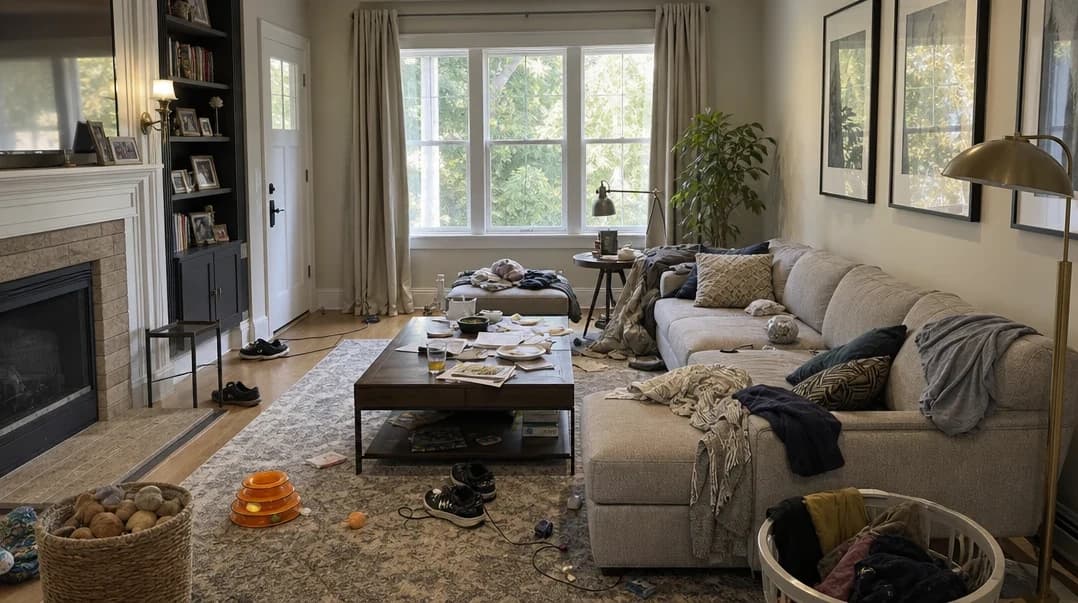
See the difference
Drag the slider to compare before and after

No card or subscription required
What Clean & Tidy does
Clear everyday distractions from your listing photos: clothes on the bed, items on the counter, and belongings in the way. Clean & Tidy gives you a tidier version to compare with the original, so the room gets the attention.
When to use it
- Listing occupied properties where tenants have left personal items in frame
- Quick pre-listing touch-ups without rescheduling a photoshoot
- Standardizing photo sets across a large portfolio to maintain consistent quality
- Removing small objects — bins, cables, pet items — that break the visual flow
How it works
Most photo edits take about a minute to generate
Upload your photo
Upload any interior property photo in JPG, PNG, WebP, or HEIC format — up to 25MB.
Select Clean & Tidy
Choose the Clean & Tidy enhancement. You can combine it with other enhancements like Improve Lighting or Blue Skies in a single run.
Download your clean photo
Compare the tidied room with your original, check the details, and download the version you want to use.
Credit cost
100 credits per photo
New accounts get 500 free credits — enough for 5 free uses of this feature.
Related features
Keep working with the same photos, in the same project.
Looking for a comparison of real estate photo editing tools? See our 2026 software comparison guide.
Want to show the change on Instagram or in your listing? Make a before and after photo for free.
See what Clean & Tidy can do for your listing.
Start with 500 free credits. Try your own property photos before buying. Free results include a watermark.