
Targeted AI Edits
A good photo. One distracting detail. Fix it here.
No card or subscription required · Free results include a watermark
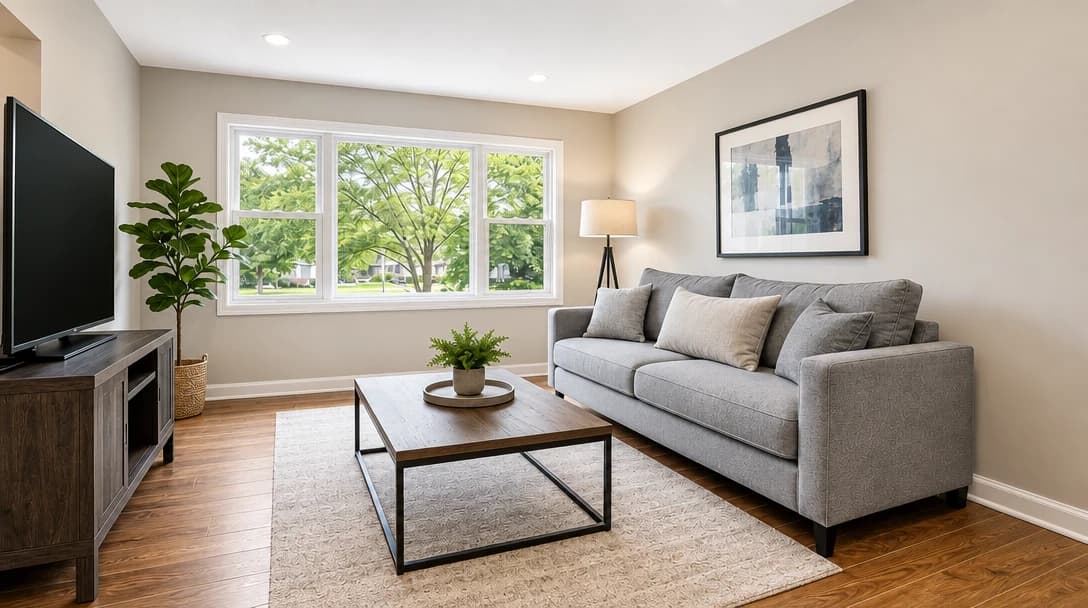
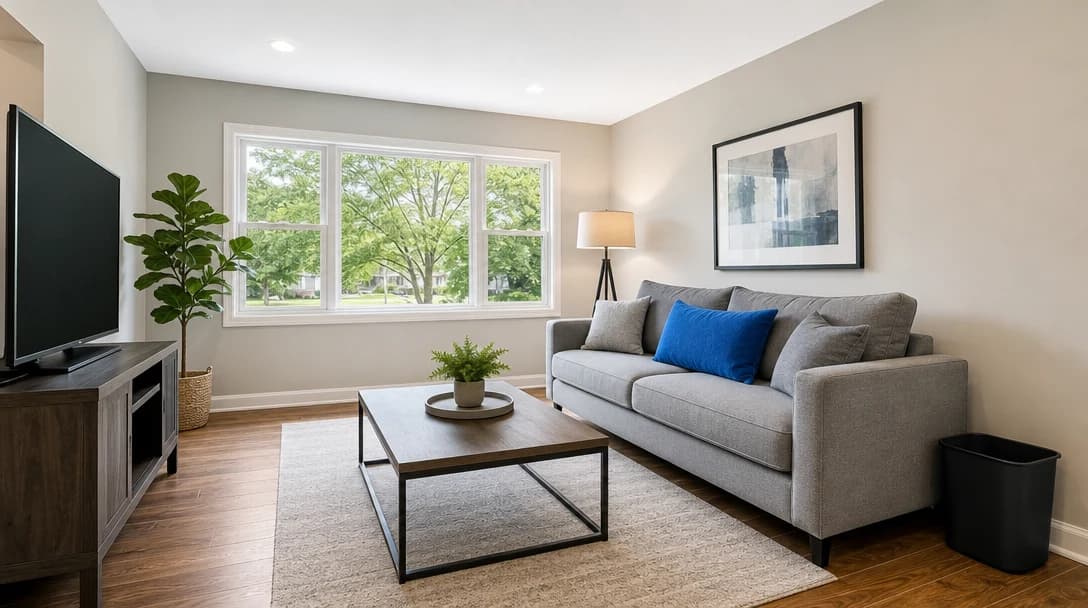
See the difference
Drag the slider to compare before and after
No card or subscription required
What Targeted AI Edits does
Remove the bin in the corner, change a decor color, or describe the detail you want to fix. Select an object or brush an area, then save up to three instructions for one generation. Compare the finished photo with your original before downloading.
When to use it
- Removing a bin, toy, cable, appliance, or small clutter item before publishing
- Recoloring a chair, wall, cushion, cabinet, or accent detail to suit the listing presentation
- Cleaning up a specific distraction after running a broad Enhance pass
- Making a focused correction to a photo you have already enhanced
How it works
Most photo edits take about a minute to generate
Select or brush the area
Use Select to click an object and create a mask automatically, or use Brush to paint the exact region you want to change.
Save numbered edits
Choose Remove, Recolor, or Custom, then save the edit. You can save up to 3 numbered edits on one image.
Generate the final photo
PropertyPixel applies all your saved edits in a single pass and returns one finished photo. Save up to 3 edits per photo; the run costs 100 credits regardless of how many you made.
Credit cost
100 credits per photo
New accounts get 500 free credits — enough for 5 free uses of this feature.
Related features
Keep working with the same photos, in the same project.
Looking for a comparison of real estate photo editing tools? See our 2026 software comparison guide.
See what Targeted AI Edits can do for your listing.
Start with 500 free credits. Try your own property photos before buying. Free results include a watermark.