
Night to Day
See a daytime version of your after-dark shot.
No card or subscription required · Free results include a watermark
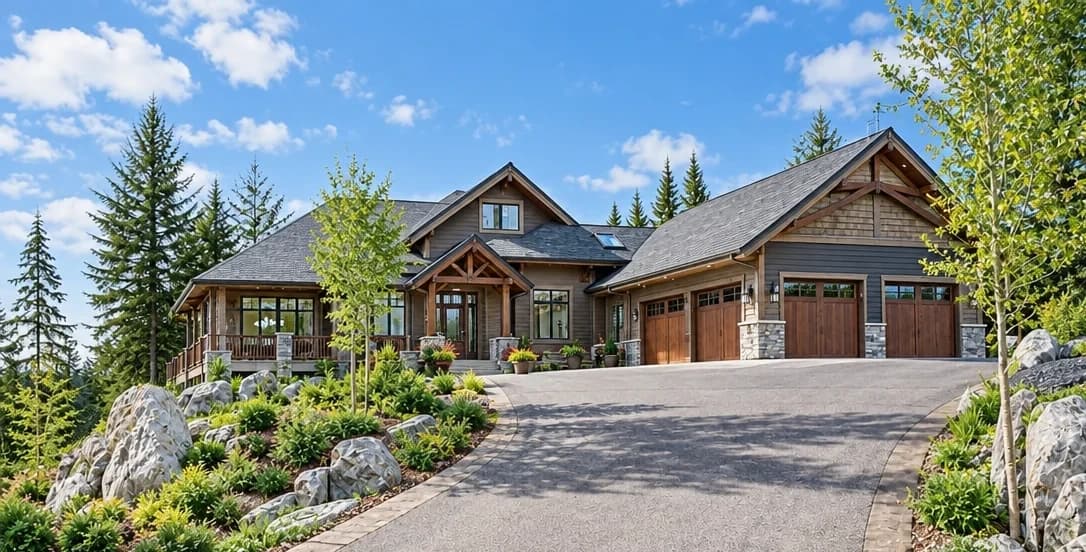
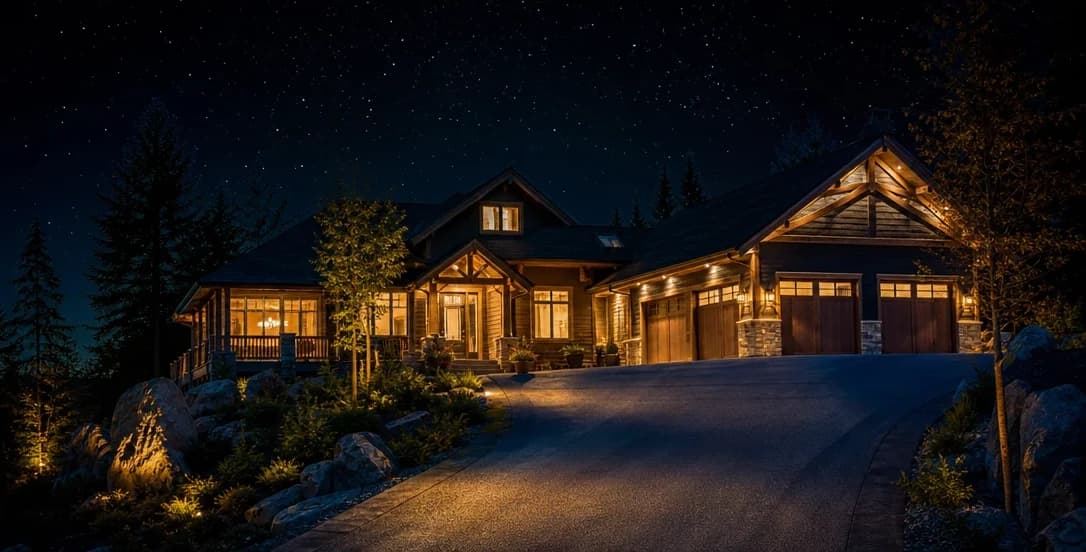
See the difference
Drag the slider to compare before and after
No card or subscription required
What Night to Day does
Create a daylight treatment from a nighttime exterior photo, with a brighter sky and adjusted scene lighting. AI may generate detail that was hidden in the dark, so compare the result with what you know of the property.
When to use it
- Photos taken accidentally in low light or after sunset that cannot be reshot
- Listings where the photoshoot ran long and the final exterior shots are too dark
- Investment portfolios where returning for a daytime exterior is not practical
- Agents who receive dark photos from vendors that still need to be marketed
How it works
Most photo edits take about a minute to generate
Upload your night photo
Upload the dark exterior photo — even if it was taken after dark, in low light, or with poor artificial lighting.
Select Night to Day
Choose Night to Day. The AI reconstructs natural daylight conditions — sky, ambient light, and surface tones.
Download your daytime photo
Check the generated daylight scene against the actual property, especially areas that were hard to see in the original. Download the result if it represents the property accurately.
Credit cost
100 credits per photo
New accounts get 500 free credits — enough for 5 free uses of this feature.
Related features
Keep working with the same photos, in the same project.
Looking for a comparison of real estate photo editing tools? See our 2026 software comparison guide.
Want to show the change on Instagram or in your listing? Make a before and after photo for free.
See what Night to Day can do for your listing.
Start with 500 free credits. Try your own property photos before buying. Free results include a watermark.