
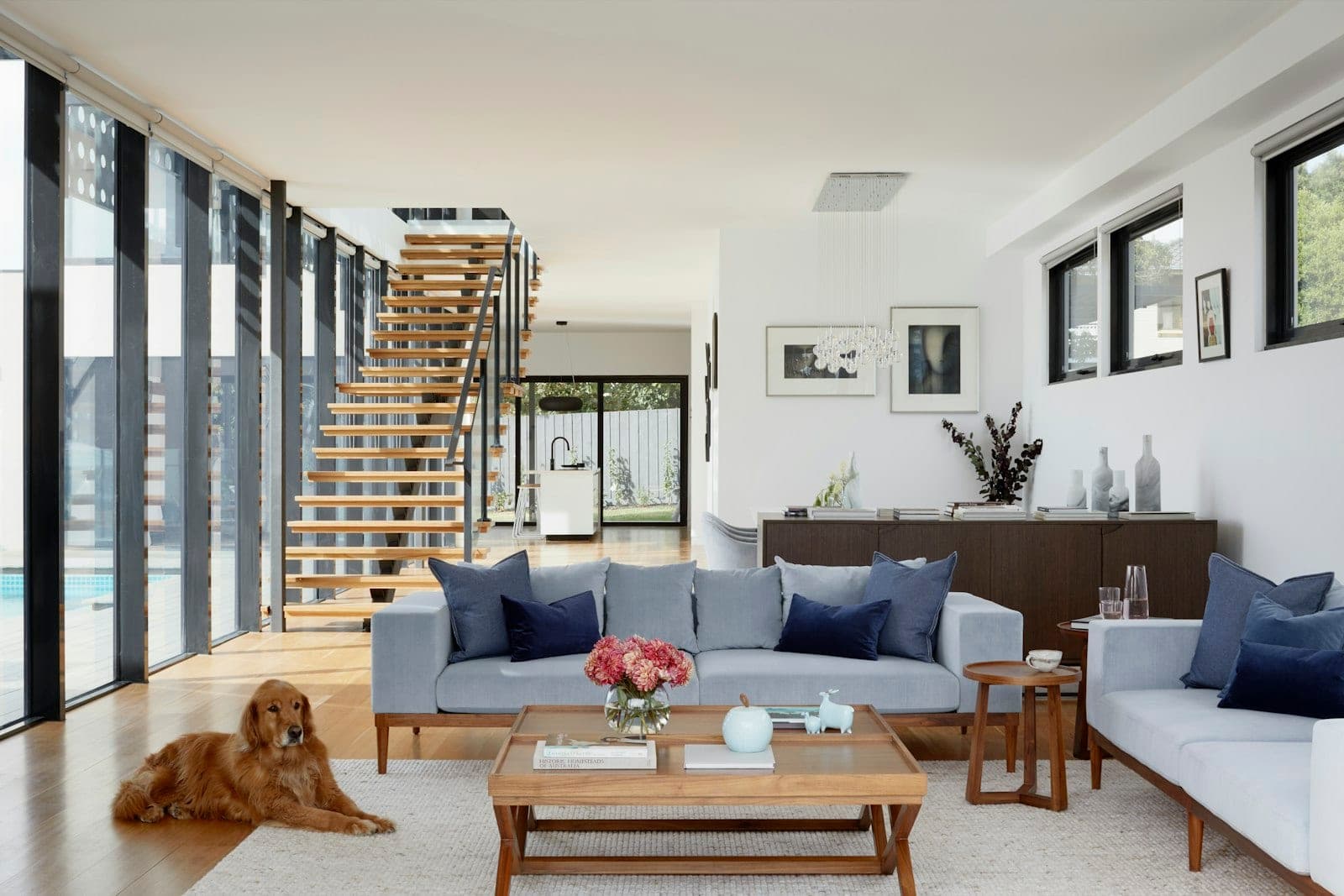
The honest answer to "does AI virtual staging look real?" is: it depends on the tool, the source photo, and the style chosen. The best AI staging in 2026 is genuinely convincing at listing-photo viewing size. The worst looks like someone dropped clipart furniture onto a floor plan.
This guide covers where the technology actually is in 2026, the specific quality issues to watch for, and what buyers think when they see virtually staged photos on a listing.
How Good Is It in 2026?
AI virtual staging has improved significantly over the past two to three years. The main areas of improvement:
- Lighting consistency — furniture now casts shadows and catches highlights that roughly match the room's light source, rather than looking uniformly lit from nowhere
- Perspective and scale — furniture sits on floors rather than hovering; proportions are more accurate relative to the room
- Style libraries — the generic "modern beige" default of 2021-era tools has been replaced by distinct, recognisable styles with cohesive furniture selections
- Edge quality — where furniture meets the floor, walls, and existing fixtures looks cleaner and more integrated
At the size buyers actually view listing photos — on a phone screen or a Zillow thumbnail — a well-executed AI staging from a quality tool is difficult to distinguish from a real interior. At full resolution on a large screen, the signs are more visible but still subtle in the best results.
What Separates Good from Bad Results
Signs of a quality result: furniture shadows match the room's light direction; fabric textures have natural variation; furniture legs contact the floor cleanly; scale feels right relative to the windows and doors; the style is cohesive — pieces look like they belong together.
Signs of a poor result: furniture appears to float slightly above the floor; lighting on furniture doesn't match the room — too bright, too flat, or wrong direction; perspective is slightly off — pieces look tilted; furniture selection is generic and incoherent; unnatural shadows or halos around objects.
The most common failure mode across AI staging tools is the lighting mismatch. A room with a window on the left should have furniture that's brighter on the left side with shadows falling right. Many tools apply uniform lighting regardless of the room's actual light source, and experienced eyes notice it immediately.
The Three Most Common Issues to Watch For
1. Floating furniture
The furniture appears to hover slightly above the floor rather than resting on it. Usually caused by perspective estimation errors when the AI maps the room's geometry. Most visible on rugs and chairs with visible legs. Fixable by re-running the enhancement — the result varies between runs.
2. Lighting inconsistency
The furniture is lit from a different direction or at a different intensity than the room itself. Gives the result a composited look even when the individual elements are well-rendered. Best avoided by choosing source photos with soft, diffuse lighting rather than strong directional light from a single window.
3. Scale errors
A sofa that looks right in isolation but is too large or too small for the room once you reference the window height or door frame. More common in rooms with unusual proportions (very high ceilings, narrow layouts, or strong wide-angle distortion in the source photo).
Pro Tip
Before publishing a virtually staged photo: check that furniture contacts the floor cleanly, that shadows are consistent with the room's light source, and that nothing looks dramatically out of scale relative to a door or window frame.
What Buyers Actually Think
The "will buyers be put off by virtual staging?" concern was legitimate in 2020. In 2026 it's largely resolved. A few things have shifted buyer expectations:
- Virtual staging is now widespread enough that buyers recognise and accept it as standard practice on listings under $1M
- The "virtually staged" disclosure label in listing captions is common enough that it's no longer alarming
- Buyers understand that the furniture won't be there — they're looking at the space, not the staging
- An empty room still performs worse than a virtually staged one, even when buyers know the staging isn't real
The remaining concern is on luxury listings, where buyers are more likely to scrutinise photos closely and may find quality issues more off-putting. At $1M+, a well-executed human-edited staging or a real physical staging still tends to perform better in that critical scrutiny phase.
⚠️ Important
Virtually staged photos must be labelled as such in your listing. Most MLS boards require "virtually staged" in the caption or listing remarks. Using staged photos without disclosure creates legal exposure — check your local MLS requirements before publishing.
The Source Photo Matters More Than the Tool
The single biggest factor in a convincing AI staging result is the quality of the source photo — not the sophistication of the tool. A well-lit, properly composed photo of an empty room will produce a better staged result than a dim, distorted one, regardless of which tool you use.
What helps:
- Soft, even natural light — avoid harsh directional shadows from a single window
- A straight-on or slight-angle shot rather than extreme wide-angle perspective
- Clean, empty floors — rugs and existing furniture left in frame complicate the geometry
- Neutral wall colours — the AI works with what's there; heavily coloured walls can clash with the furniture palette
Choosing a Tool
Quality varies significantly between AI staging tools. The main differentiators:
- Style library depth — a tool with 14+ distinct styles gives you more flexibility to match the target buyer. Generic tools with one or two "modern" options produce more forgettable results.
- Lighting engine — the best tools attempt to match furniture lighting to the room's actual light source. Tools that apply uniform lighting produce more obviously composited results.
- Output resolution — staging at full MLS resolution (2048px minimum width) matters. Upscaled low-resolution staging looks soft at full size.
- Turnaround and iteration — the ability to re-run with different settings or styles in seconds matters when reviewing results. Services with 24-hour turnarounds make iteration slow.
PropertyPixel's virtual staging offers 14 design styles including Modern, Japandi, Farmhouse, Luxury, and Scandinavian, with results at full listing resolution. Use our virtual staging styles guide to match those options to the property's architecture, audience, and price point before staging the full listing.
The Honest Answer
AI virtual staging looks real enough for its purpose in 2026 — which is helping buyers visualise an empty room when browsing online. It doesn't need to fool an interior designer at arm's length; it needs to make a room feel inhabited when a buyer is scrolling through 40 listings on their phone.
The quality range across tools is wide. The best results are genuinely convincing. The worst are obviously composited. Source photo quality, lighting conditions, and your choice of tool matter more than any other factor. Review at full resolution before publishing and re-run anything that doesn't look right — most tools let you iterate in seconds.
Stage an Empty Room in Under a Minute
Try a style that suits your property. Compare furniture scale, lighting, and room details against the original before choosing a staged result.
No card required · Free results include a watermark
Continue Reading
Virtual Staging vs Traditional Staging: 2026 Cost Guide
When virtual staging makes financial sense — and when traditional still wins.
Read articleAI Real Estate Photo Editing: The Complete 2026 Guide
Virtual staging in context — alongside lighting, sky replacement, and more.
Read articleReal Estate Photo Editing Software Compared
How the main AI tools stack up on staging quality, cost, and turnaround.
Read article10 Virtual Staging Styles and When to Use Each
Choose a style that fits the room, property, and likely buyer.
Read articleTry it on a photo from your next listing.
Brighten a room, clear clutter, or try virtual staging. Start with 500 free credits. No card required. Free results include a watermark.