
Short vertical video gives your best listing photos another job beyond the carousel. It fills the phone screen, adds motion, and gives agents a format built for Reels, TikTok, and Shorts. This guide covers how to turn existing listing photos into useful social video — and what AI photo-to-video can and can't do.
The format shift from horizontal to vertical and from static to moving isn't new, but the tooling is. A photo-to-video model can now generate a short camera move from one still, while a Listing Tour can combine several generated shots into one ordered video. Start with photos in the shape you want to publish, because PropertyPixel preserves each source photo's aspect ratio rather than forcing a vertical crop.
The catch, as with any AI tool: the output is only as good as the input. A blurry photo makes a blurry video. A photo with blown windows makes a video with blown windows. Prep the source, pick the right shots, and the rest gets easy.
Why Add Vertical Video to the Mix
Three things are going on, in order of importance:
- Full-screen format. A vertical video uses the available phone screen, while a horizontal video often appears smaller inside a vertical feed.
- Video-first surfaces. Reels, TikTok, and Shorts are designed around motion, sound, and full-screen playback. A video belongs naturally in those feeds in a way a horizontal listing carousel does not.
- Motion creates a new hook. A subtle camera move can reveal depth in a strong kitchen, living room, or exterior shot without requiring another property visit.
None of this guarantees reach. The opening shot, caption, offer, audience, and distribution still matter. Treat video as another useful listing asset, not an engagement shortcut.
What AI Image-to-Video Actually Does
Because this is where most of the marketing hype lives, here's the honest version of what these tools produce.
An AI photo-to-video model takes a still image and infers what a short camera movement through that scene might look like. PropertyPixel's Photo to Video feature generates a 2- to 5-second HD clip with a smooth cinematic push-in. The Listing Tour mode applies the same treatment to 2–9 ordered photos and joins the shots with crossfades.
What it does well:
- Smooth push-ins on well-composed rooms with clear depth (living rooms with a focal point like a fireplace or a window, kitchens with an island)
- Consistent movement across a sequence of interior and exterior listing photos
- Short, looping clips that work as social teasers
What it doesn't do:
- Generate a full walkthrough of a home from one photo. It can't invent rooms you didn't capture.
- Produce a long continuous walkthrough from one frame; PropertyPixel clips are 2–5 seconds per photo
- Convincingly animate anything outside the frame — it doesn't know what's beyond the walls it sees
- Handle photos with moving elements well (a ceiling fan, a flag, water) — you'll see subtle motion artifacts
- Replace actual video shot on the property for high-end listings
If you need a true walkthrough, use a real video tour or a 3D virtual tour. A PropertyPixel Listing Tour is an ordered sequence of animated listing photos, not a continuous camera path through the property. For a direct comparison, see our post on 3D tours vs. video walkthroughs.
Picking the Right Photos to Turn Into Reels
Not every photo makes a good video. Pick images that already have the ingredients motion needs.
Photos that work well:
- Living rooms shot from a corner with visible depth (couch in foreground, window in background)
- Kitchens with a clear leading line (an island, a long counter, a window wall)
- Exteriors with space around the house (driveway, lawn, neighborhood context)
- Primary bedrooms with a window view or a clear focal point
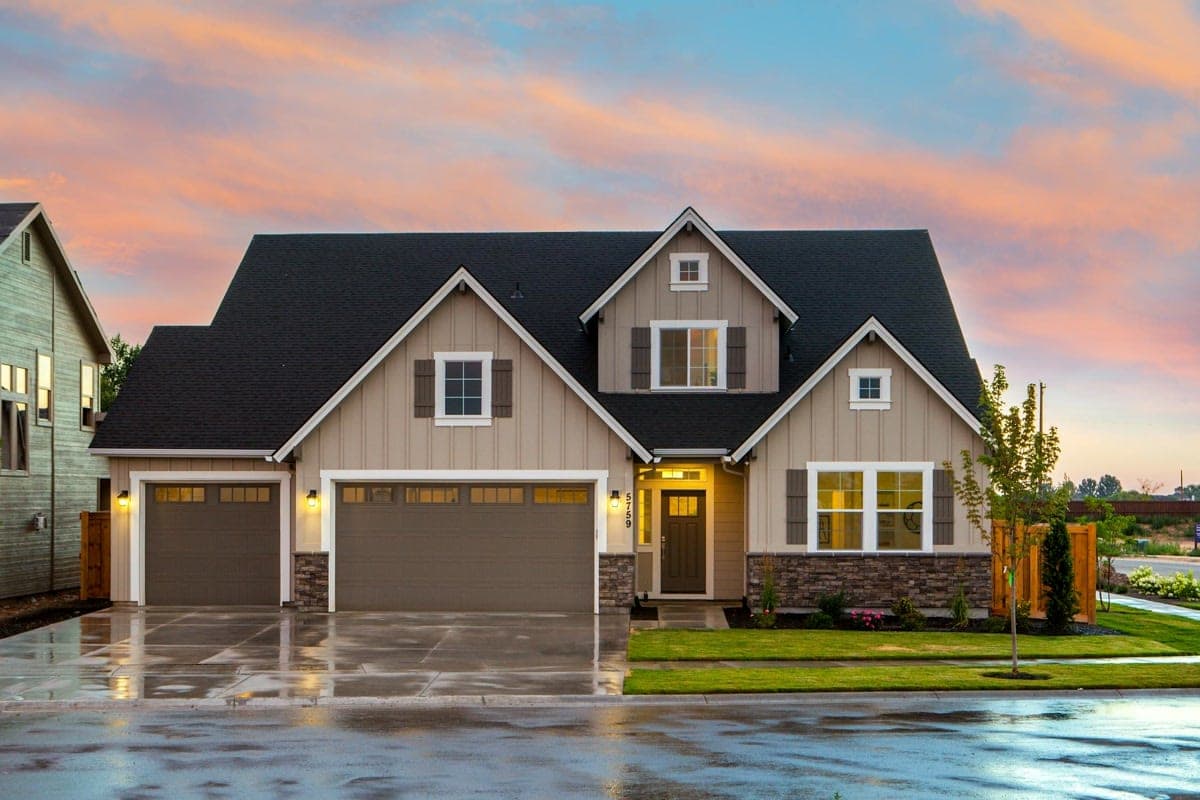
- Twilight exteriors (these look cinematic as short clips almost by default)
Photos that don't:
- Tight detail shots with no negative space (a close-up of a countertop, a bathroom fixture)
- Crowded or cluttered rooms (motion amplifies visual chaos)
- Photos with sharp perspective distortion from ultra-wide phone lenses
- Anything blurry or underexposed in the source
Before running photos through image-to-video, clean them up. Remove clutter using automated decluttering. Fix lighting. Straighten verticals. Prep as you would for any enhancement — see our full pre-processing checklist at how to prepare property photos for AI enhancement.
Aspect Ratios and Length by Platform
Getting the format right is boring but load-bearing. The wrong ratio means black bars, cropped captions, or rejected uploads.
| Platform | Aspect ratio | Length sweet spot | Max length |
|---|---|---|---|
| Instagram Reels | 9:16 | 15-30 seconds | 90 seconds |
| TikTok | 9:16 | 15-45 seconds | 10 minutes (but nobody watches) |
| YouTube Shorts | 9:16 | 30-60 seconds | 3 minutes |
| Facebook Reels | 9:16 | 15-45 seconds | 90 seconds |
| Instagram Stories | 9:16 | 15 seconds per slide | 60 seconds total |
| Zillow/Realtor.com video | 16:9 or 9:16 depending | 30-60 seconds | Varies |
The pattern: 9:16 is the common shape for social-first video. PropertyPixel preserves the source photo's shape, so use vertical source images when vertical output is the goal. If the listing set is horizontal, plan the crop in your social editor after generation rather than assuming the video tool will reframe it.
For length, start with the shortest sequence that establishes the property and keeps every shot useful. PropertyPixel lets you choose 2–5 seconds per photo; the right total depends on the channel, number of rooms, and story you need to tell.
Building a Reel From Listing Photos
A practical workflow that removes the separate filming and timeline-editing steps.
Step 1: Pick 4-6 Hero Shots
For a short reel, four to six photos is a useful starting point. Choose your strongest exterior, two or three interior highlights (living, kitchen, primary bedroom), and one detail shot, then adjust the count to fit the destination.
Step 2: Build the Storyboard
Choose Listing Tour in PropertyPixel, select 2–9 finished photos, drag them into story order, and choose 2, 3, 4, or 5 seconds per photo. PropertyPixel applies a consistent cinematic push-in to each image.
Step 3: Generate the Listing Tour
Generate one HD MP4 with the shots already ordered and joined by smooth crossfades. Use Photo to Video instead when you only need one animated hero image.
Step 4: Add Music
This is where most agents get in trouble, so read the music rights section below before you pick a track.
Step 5: Caption and Export
Add a short on-screen title (listing address, price, or a one-line hook) in your preferred social editor, crop for the destination if needed, and upload the finished file directly to each platform.
Pro Tip
Save your source photos, your generated clips, and your final export in separate folders per listing. You'll want to repurpose the clips into longer compilations, agent-intro reels, and "sold" announcement posts later. Keeping the raw generated clips accessible saves you from regenerating from scratch.
Music Rights: The Thing Nobody Talks About
Using the wrong song on a listing reel can get your content muted, your post taken down, or (in rare cases) your account flagged. It's also the single most common mistake agents make.
On Instagram and Facebook Reels: You can use tracks from the platform's in-app music library freely for organic posts. You cannot use them for ads or any post boosted with paid spend. If you boost a reel with licensed music, Meta will strip the audio.
On TikTok: Same rule for personal accounts. Business accounts have a more limited "commercial music library" — if you've switched to a Business or Creator account for analytics, some of the viral tracks become unavailable. You can't license around this.
On YouTube Shorts: More restrictive. You can only use tracks from YouTube's Creator Music library or the Audio Library. Popular tracks often aren't available, and some are only available with revenue-sharing (you give up monetization on that video).
On Zillow, Realtor.com, and MLS video uploads: None of the in-app social music libraries apply. You need royalty-free music licensed for commercial use. Services like Epidemic Sound, Artlist, and Musicbed start at $10-20/month and cover this cleanly.
The safe default: use platform-native music on platform-native posts, and royalty-free licensed tracks on anything that touches MLS or property-search platforms.
Creative Choices to Test
Across effective listing videos, a few practical patterns recur.
Useful starting points:
- Lead with the strongest shot. Test the best exterior, kitchen, view, or living space before a branded title card.
- One-line on-screen captions. "$1.2M in Scottsdale," "3 bed, backs to greenbelt," "Coming Friday." Short. Readable without sound.
- Price on-screen. Test whether showing price helps the right buyers self-select.
- Platform-native sounds (where licensing allows). Use music that fits the property and the rights available to the account.
- A clear CTA on the last frame. "DM for address," "Link in bio," "Open house Saturday 1-3."
Choices to use carefully:
- Long agent-intro title cards at the open
- Loud music over room-tone narration (sound design gets chaotic fast)
- Overly stylized transitions (glitches, zoom flashes) — dated fast
- Generic "tour this home!" captions without specifics
- Music that is not licensed for paid or commercial use
Pro Tip
Post the same reel at different times of day across a week and track the one that performs best. Your own account data is more useful than a universal posting-time rule. Keep the creative fixed, vary the posting time, and compare reach, watch time, saves, and inquiries.
A Cross-Posting Checklist
One clean video can support several channels, but each destination has its own crop, caption, music, and disclosure requirements:
- Export clean, no platform watermark. Save a reusable master and upload it directly to each destination.
- Vary the caption and hashtags. Same video, slightly different copy per platform. Instagram leans toward fewer hashtags and a story caption. TikTok leans toward a hook line and 3-5 hashtags.
- Test the schedule. Compare simultaneous publishing with staggered posts using your own account data.
- Fit the story to the listing. Vary the opening shot, photo order, pacing, captions, and music rather than forcing every property into one template.
A Repeatable Per-Listing Workflow
The workflow becomes sustainable when the source photos, ordering, captions, and publishing steps stay consistent from listing to listing.
- Choose 4–6 photos from the finished listing set. Favor wide shots with visible depth over tight details.
- Build a Listing Tour in the order a viewer should see the property and select the pace per photo.
- Generate and review the MP4 for visual artifacts, ordering, and rhythm.
- Add channel-specific text and licensed music in your social editor, cropping only if the destination requires it.
- Publish natively and measure watch time, saves, clicks, and inquiries against your photo-only posts.
Save the shot order, caption structure, export preset, and music-licensing source as a repeatable checklist. The goal is a dependable production habit, not an arbitrary time target.
Reels vs. 3D Tours vs. Full Video Walkthroughs
A reel is not a tour. Pretending it is hurts the listing.
- Reels are top-of-funnel. They exist to get the listing in front of strangers on social feeds. They don't need to show the whole house. They need to make one good impression.
- 3D virtual tours are for self-directed exploration after a buyer wants a closer look at the space.
- Full video walkthroughs are mid-to-bottom-funnel. Serious buyers who want a guided sense of the property before they request a showing.
The right stack depends on the listing and audience. Use Photo to Video or a Listing Tour for short, guided distribution; a 3D tour for exploration; and a filmed walkthrough when buyers need continuous spatial context.
The Honest Limits
AI image-to-video is a legitimate tool, not a magic one. The things it doesn't replace:
- A licensed videographer on a $10M luxury listing. The output is good. It's not $10M-listing good.
- An actual drone pass for acreage. A zoomed-in pan on a drone still is not the same as a real aerial sweep.
- A gimbal walkthrough. If a buyer wants to see how the rooms flow, you need continuous camera movement through space, not stitched clips of individual rooms.
For everyday listing marketing, Photo to Video and Listing Tour offer a practical way to reuse approved photography as motion content. Review every result, add the channel-specific finish, and measure whether video earns a place in your own workflow.
Turn Finished Listing Photos Into Video
Create a 2–5 second Photo to Video clip or combine 2–9 ordered photos into a crossfaded Listing Tour.
No card required · Free results include a watermark
Continue Reading
3D Tours vs Video Walkthroughs: Which Format Fits?
Data-driven comparison of immersive viewing technologies for real estate marketing
Read articleHow to Prepare Property Photos for AI Enhancement
Capture, settings, and prep that get you listing-ready output — the foundation for every video pipeline
Read article15 Real Estate Photography Tips That Lead to Faster Sales
Proven techniques for shooting listing photos that attract buyers
Read articleTry it on a photo from your next listing.
Brighten a room, clear clutter, or try virtual staging. Start with 500 free credits. No card required. Free results include a watermark.