
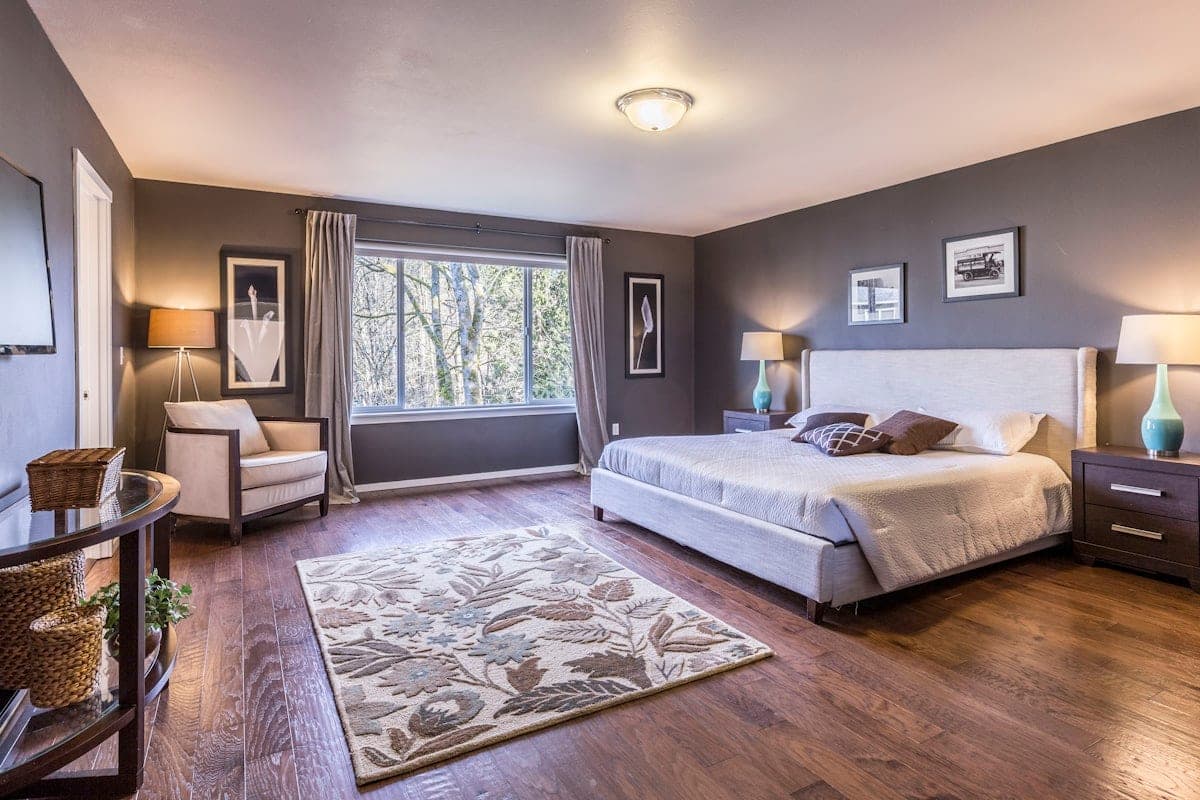
AI photo enhancement can turn a good photo into a great one in seconds — but it can't rescue a photo that was never going to work. This guide covers exactly how to prepare property photos for AI enhancement so you get listing-ready results on the first pass, whether you're shooting with a phone or a DSLR.
The difference between an AI enhancement that saves you 30 minutes and one that wastes them comes down to the input. Feed the model a clean, well-captured photo and you get a clean, well-enhanced photo. Feed it something shot through a dirty window, on a tilt, with the flash bouncing off a mirror, and no amount of AI will fix it.
The good news: the bar for "usable input" is lower than most agents think. You don't need a full camera kit. You don't need Lightroom. You just need to understand what AI is good at and what it isn't, and shoot accordingly.
What AI Enhancement Can and Can't Do
Before the tactical prep checklist, the honest version of what you're working with.
AI handles well:
- Brightening underexposed rooms (up to about two stops)
- Pulling detail back from slightly blown windows
- Straightening perspective (keystoning from wide-angle shots)
- Sky replacement on exteriors
- Removing loose clutter (mail, toys, personal objects)
- Virtual staging in empty rooms
- Day-to-dusk conversion on exteriors
AI struggles with:
- Motion blur — it can't sharpen what isn't there
- Severe underexposure (pitch-black rooms) — brightening reveals noise, not detail
- Heavily backlit shots where windows are completely blown out
- Reflections showing the photographer, tripod, or phone
- Distorted wide-angle shots from ultra-wide phone lenses
- Images already heavily filtered in another app
- Reconstructing rooms from a single corner shot (it can't invent what wasn't captured)
If a photo has any of these problems, prep work won't save it. Reshoot instead. A three-minute reshoot beats an hour of fighting AI enhancement.
Camera Settings That Give AI the Most to Work With
Shoot at Maximum Resolution
Every AI enhancement model performs better with more pixel data. More pixels mean more context for the model to understand textures, edges, and lighting.
- DSLR/mirrorless: RAW if you're comfortable, otherwise highest-quality JPEG
- Phone: Turn off "auto" resolution settings; shoot at the highest setting your camera supports (typically 12MP-48MP depending on the phone)
- Minimum target: 2000 x 1500 pixels for MLS compliance
If you're shooting with an iPhone Pro or equivalent, the default is already at maximum resolution. If you're on an older phone or Android budget model, dig into settings and confirm.
Slightly Underexpose Rather Than Overexpose
If you have to choose between a photo that's a little too dark and a little too bright, choose dark. AI can recover detail from shadows. It cannot invent detail in blown-out highlights.
The classic failure mode: shooting toward a bright window. The window turns pure white, and no AI in the world can tell you what was outside that window. Meter for the window, let the interior go dim, and let the enhancement bring the interior back up.
Use Exposure Bracketing When the Scene Has Big Dynamic Range
Rooms with large windows or dark corners are "high dynamic range" scenes — the difference between the brightest and darkest parts is too big to capture in one shot.
On a DSLR, bracket three to five shots at -1, 0, +1 stops (and -2, +2 if needed). On a phone, enable HDR mode. This gives AI models the option to pull from multiple exposures for the final result.
For more on HDR specifically, see our guide on HDR bracketing for real estate photography.
Pro Tip
If your camera has a histogram display, enable it. A histogram touching the right edge means blown highlights — reshoot a stop darker. A histogram bunched on the left means underexposure, which is recoverable but not ideal.
Avoid On-Camera Flash
On-camera flash creates three problems AI models can't easily undo: harsh shadows behind furniture, reflections in mirrors and windows, and a flat, unnatural color temperature.
If the room is genuinely too dark for natural light, turn on every light in the house instead. For more on this, see flash vs. natural light real estate photography.
Composition: What to Capture So the AI Has Something to Work With
Shoot From Corners, Not Doorways
A photo taken from a doorway shows one wall. A photo taken from the corner of a room shows two or three walls, plus depth, plus a sense of scale. The corner shot is almost always the right choice.
Stand in the corner, point the camera toward the opposite corner, and keep the lens level. This gives the AI a complete "room map" to reason about.
Shoot at Chest Height (About 4 Feet)
This is the height a buyer sees the room from when they walk in. It's also the perspective AI models are trained on most heavily, because it matches the majority of real estate listing photos online.
Below chest height makes ceilings look tall but rooms look small. Above chest height makes rooms look bigger but feels artificial. Chest height is the honest middle.
Keep Verticals Straight
If the walls are leaning inward or outward in your viewfinder, the shot will need perspective correction later. AI can do this (automatically with tools like PropertyPixel's straighten and reframe feature), but it's a lot cleaner if the shot is straight to begin with.
A cheap bubble level for your tripod is a $10 investment that pays off in every single shoot. On phones, most camera apps have a level overlay — turn it on.
Include Both Ceiling and Floor
Framing that cuts off ceilings makes rooms look short. Framing that cuts off floors makes rooms look disconnected. Include roughly 10-15% ceiling and 15-20% floor in interior shots. This gives AI the proportional context to understand the room.
Lighting: The Single Biggest Driver of Enhancement Quality
Shoot at the Right Time of Day
- Interiors: Mid-morning to mid-afternoon (10am-3pm), when natural light through windows is strongest and most even
- Exteriors: Golden hour (one hour after sunrise, one hour before sunset) for warm, flattering light
- Twilight exteriors: Shoot at actual twilight if possible; if not, shoot in daylight and use day-to-dusk AI conversion later
Open Every Curtain, Raise Every Blind
Every closed curtain is a dark spot in your image. Open them all before you shoot — even the ones in rooms you're not featuring, because hallway sightlines often reveal them.
Turn On Every Light
This sounds counterintuitive when the sun is streaming in, but it works. Interior lights fill the shadows that natural light can't reach, especially in corners and under cabinets. The color temperature mismatch (warm bulbs, cool daylight) is something AI handles easily during enhancement.
Avoid Mixed Hard Light
Direct sunlight through a window creating a hot bright patch on the floor, with the rest of the room in shadow, is the single hardest lighting condition for AI to clean up. Either shoot earlier or later when the sun isn't at that angle, or draw that one curtain while leaving the others open.
Room Prep: Where AI Enhancement Actually Starts
Remove the Obvious Stuff
Personal photos, mail stacks, medication bottles, pet bowls, kids' school art, religious items. AI declutter features can remove these after the fact, but every item you clear manually saves enhancement credits and gives you predictable results.
Clear About 80% of Countertop Items
In kitchens and bathrooms, counters should look like a well-staged showroom, not a used home. Leave two or three accent items (a vase, a bowl of fruit, a hand soap dispenser). Clear everything else.
Straighten Furniture and Rugs
AI won't rotate a crooked rug or square a misaligned chair. These are manual fixes that take 30 seconds per room.
Don't Worry About Minor Clutter
A stray towel over a chair, a coffee cup on a side table, a cable on a TV stand — AI declutter handles these cleanly. Don't burn time perfecting what the tool is designed to fix.
Pro Tip
The rule of thumb: remove anything personal (you can identify the seller from it) or anything heavy (furniture, large appliances). Leave everything small and non-personal to the AI. That split gets you the fastest turnaround with the best results.
A Photo-by-Photo Shot List
For a typical three-bedroom listing, aim for 20-30 photos in this order. (This matches most MLS upload ordering requirements — see our MLS photo requirements guide.)
- Front exterior, wide: Full house in frame, landscaping visible
- Front exterior, angled: From the driveway or curb, shows depth
- Back exterior / yard: Captures outdoor living space
- Living room, wide from corner: Primary gathering space
- Living room, secondary angle: Shows a feature (fireplace, windows, built-ins)
- Kitchen, wide: Shows layout and appliances
- Kitchen, detail: Countertops, backsplash, or island
- Dining area: With or near kitchen
- Primary bedroom, wide: From corner
- Primary bedroom, secondary: Shows closet, ensuite entry, or view
- Primary bathroom: Wide shot showing layout
- Secondary bedrooms: One wide shot each
- Additional bathrooms: One shot each
- Laundry, office, basement: As applicable
- Outdoor features: Pool, deck, patio, garden
- Neighborhood or view: If a selling point
Every photo on this list should be captured before you start the enhancement step. Going back to reshoot a single photo once everything else is prepped is one of the biggest time sinks in listing photography.
Common Input Problems (and Whether AI Can Fix Them)
| Problem | Can AI fix it? | Better to reshoot? |
|---|---|---|
| Slightly dim room | Yes | No |
| Slightly blown window | Yes (HDR recovery) | No |
| Pitch-black room | No | Yes |
| Completely blown window | No | Yes |
| Slight tilt on walls | Yes | No |
| Obvious motion blur | No | Yes |
| Photographer visible in mirror | No (visible artifacts remain) | Yes |
| Overcast sky | Yes (sky replacement) | No |
| Dirty window or lens | No (smears remain visible) | Yes, after cleaning |
| Mail stack on counter | Yes (clutter removal) | Optional |
| Tilted rug or furniture | No | Adjust manually, then shoot |
If you're unsure whether to reshoot, default to reshooting. It's almost always faster than fighting the AI with a marginal input.
Before You Hit Enhance: A 60-Second Final Check
Run through this list before processing any batch:
- All photos horizontal (landscape) orientation
- Resolution at least 2000 x 1500 px
- Windows not fully blown out (detail still visible through glass)
- No visible reflections of you, your gear, or your phone
- No on-camera flash shadows
- Personal items removed
- Furniture squared and rugs straightened
- File format JPEG (quality 90+) or RAW
- Color space sRGB (most phones default to this; most DSLRs need it set)
⚠️ Important
The single most common mistake: shooting with the phone held vertically because it feels natural. MLS systems require landscape orientation. Rotate your phone and shoot horizontal. If you already shot vertical, reshoot — AI can't add image data that wasn't captured.
The Honest Pitch for AI Enhancement
Once your input is prepped well, AI enhancement turns into a genuine time-saver. A 20-photo listing that used to take 45 minutes of Lightroom work becomes a 2-minute batch upload. Sky replacements that used to cost $5/image through retouching services run a fraction of that through a subscription. Virtual staging that used to take a physical stager a day happens in under two minutes per room.
But none of that matters if the input photos aren't up to the job. Spend the 15 extra minutes on prep before you shoot. Everything after gets faster.
Ready to Try AI Enhancement on Your Listing Photos?
Upload a batch of prepped photos and see the results in under a minute. Free trial credits, no card required.
No card required · Free results include a watermark
Continue Reading
15 Real Estate Photography Tips That Lead to Faster Sales
Proven techniques for shooting listing photos that attract buyers
Read articleMLS Photo Requirements 2026: What Every Agent Needs to Know
Dimensions, formats, and content rules to avoid MLS rejections
Read articleHDR Bracketing for Real Estate Photography
How to shoot for AI enhancement when windows blow out
Read articleTry it on a photo from your next listing.
Brighten a room, clear clutter, or try virtual staging. Start with 500 free credits. No card required. Free results include a watermark.